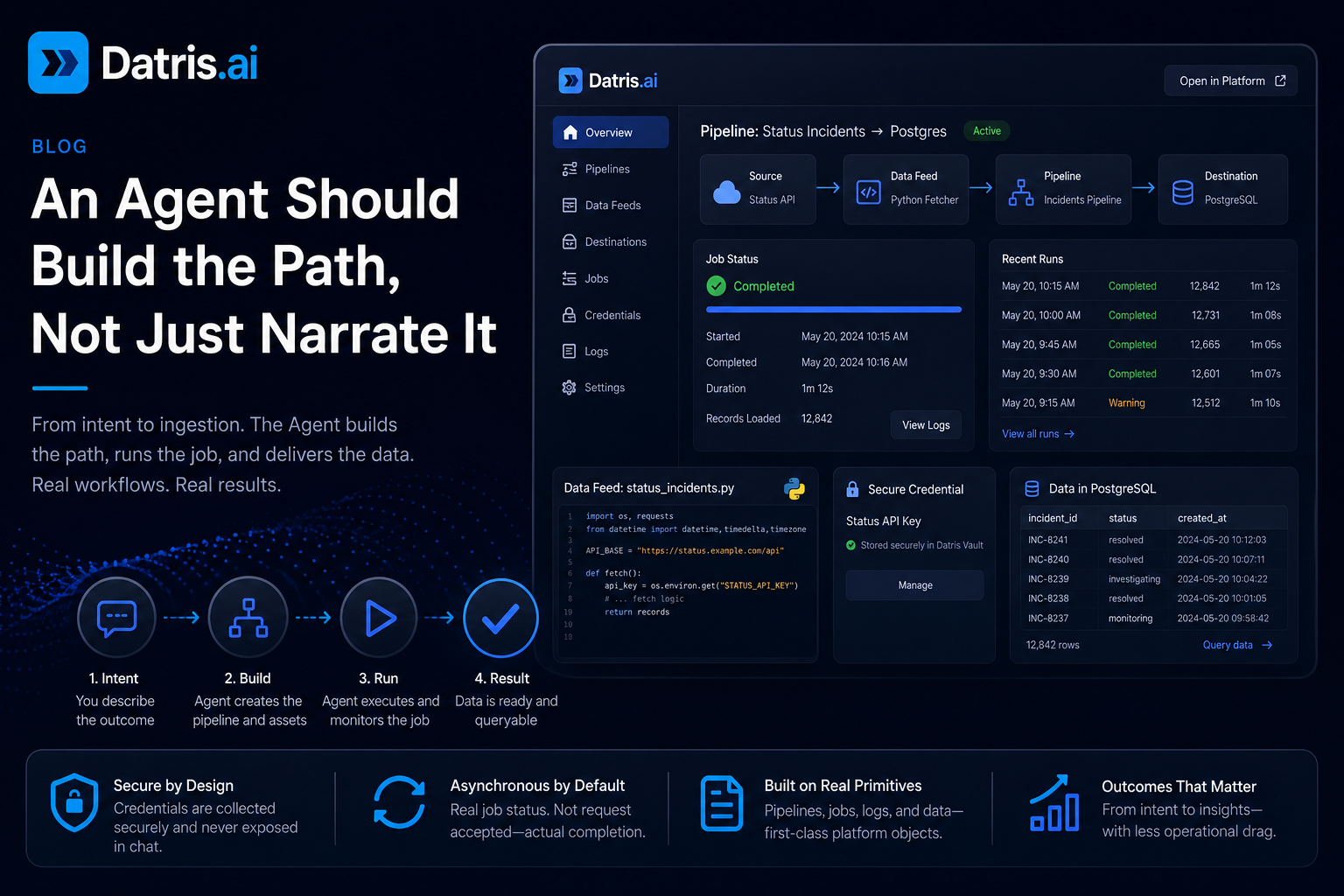
There is a big difference between an Agent that can talk about data and one that can actually move data through a system.
Most AI in data tools today is a dressed-up chat box. It summarizes a table, explains an error, generates a SQL query. Useful, but a thin layer over a human-operated workflow. If you still have to leave the chat, wire credentials manually, build the ingestion path, run the job, and dig through logs to see what happened, the Agent didn’t solve the problem. It narrated the problem.
A real data Agent should start from a request like “I need product usage events from this API in Postgres every hour” and get you to a working result. That means it creates the destination, generates the fetch logic, requests credentials safely, runs the load, and shows you actual job status. Not “request accepted.” Actual completion.
Start with intent, not configuration
Most teams don’t think in pipeline JSON, connector classes, or scheduler definitions. They think in outcomes:
- get Salesforce accounts into Postgres
- ingest PDFs from a folder into a vector store
- pull support tickets every 30 minutes
The Agent should meet the user there. The user describes the goal. The platform turns that into the pieces underneath.
The workflow matters more than the chat
Whether an Agent can produce a nice answer isn’t interesting. Whether it can drive the whole workflow safely is. That requires four things.
1. Create the working path, not just a suggestion
If the Agent picks PostgreSQL, it creates or updates that pipeline directly. If the source needs a Python fetcher, it generates the data feed and connects it to the destination. Very different contract from “here is a code snippet you can paste somewhere later.”
2. Keep credentials out of the conversation
This is where a lot of AI tooling gets it wrong. If the Agent needs an API key, the answer is not to have the user paste secrets into chat history. That’s the wrong security model from minute one.
Better pattern: the Agent detects the missing credential, opens a secure form, stores the value in a vault-backed location, and continues setup without exposing it in the transcript. That is the difference between a demo and a system you can run in production.
3. Treat execution as asynchronous reality, not optimistic theater
Most Agent systems say “success” the moment a request is accepted. The real work is still happening in the background. The Agent moves on too early, queries an empty table, then either looks broken or hallucinates an explanation.
I’ve watched this exact failure burn down enough late nights at banks to take it personally. Job kicks off, dashboard goes green, analyst pulls the table thirty seconds later and gets nothing back. Cue an hour of “did the upstream feed change?” before someone notices the load just wasn’t done yet. The system told the truth about the request. It lied about the data.
A production-grade Agent treats job status as a first-class concept. It knows when a job is processing, when it completed, when it completed with warnings, and when it failed with an actionable error. That status loop is part of the product.
4. Show the artifacts it created
When the Agent finishes, the user should be able to inspect the data feed, the pipeline config, the run status, and the destination data using the rest of the platform. These need to be durable objects you can navigate to, audit, hand off to someone else. Otherwise it’s chat-only state that vanishes the moment the session does.
A concrete example
Pull the latest incidents from our status API every 15 minutes, store them in Postgres, and let me query trends later.
A useful Agent workflow: create the pipeline, ask for the API credential through a secure form, generate the data feed, test it, run it, poll the job until the load is actually done, and return the created assets with a summary.
The fetch script:
import os
import requests
from datetime import datetime, timedelta, timezone

API_BASE = "https://status.example.com/api"


def fetch():
    api_key = os.environ.get("STATUS_API_KEY")
    if not api_key:
        print("STATUS_API_KEY not set")
        return []
    test_limit = int(os.environ.get("DATRIS_TAP_TEST_LIMIT", "0")) or None
    since = (datetime.now(timezone.utc) - timedelta(days=7)).isoformat()
    records = []
    page = 1
    try:
        while True:
            r = requests.get(
                f"{API_BASE}/incidents",
                headers={"Authorization": f"Bearer {api_key}"},
                params={"since": since, "page": page, "per_page": 100},
                timeout=30,
            )
            r.raise_for_status()
            body = r.json()
            records.extend(body.get("incidents", []))
            if test_limit and len(records) >= test_limit:
                return records[:test_limit]
            if not body.get("has_more"):
                break
            page += 1
    except Exception as e:
        print(f"fetch failed: {e}")
        return []
    return records
That’s real code, but the script itself is the bounded part of the problem. In twenty-five years of writing these by hand, the script was rarely what blocked us. Usually it was figuring out which team owned the API key, then waiting two days for them to send it. Not to mention everything around this script: wiring it into a pipeline, retries, delivery notification, the alert that wakes someone up when it fails.
Where this goes
Teams aren’t asking for more chat. They’re asking for less operational drag. That means the Agent can’t be bolted on as a novelty layer. It has to sit on top of real platform primitives: pipeline creation, safe secret handling, async job tracking, query and search after ingestion, visible logs, durable configs.
The future data platform UI isn’t a blank chat screen. It’s a platform with strong operational objects, and an Agent that can create and manage them with you.
If you’re building internal AI tooling right now, ask this question: when the Agent says it helped, what did it actually do? If the answer is “it explained something nicely,” fine. If the answer is “it built the path, ran the job, and showed me the result,” now you’re getting somewhere.
If you want to see one do it: watch an Agent acquire your data. For the code, check out the Datris Platform repo on GitHub or visit datris.ai.
Todd Fearn is the founder of Datris.ai and has been building AI solutions and data infrastructure for financial services for 30+ years, including at Goldman Sachs, Bridgewater Associates, Deutsche Bank, Freddie Mac and others.